Qtile
A tiling WM configured in pure Python. Hackable, keyboard-driven, X11 or Wayland.
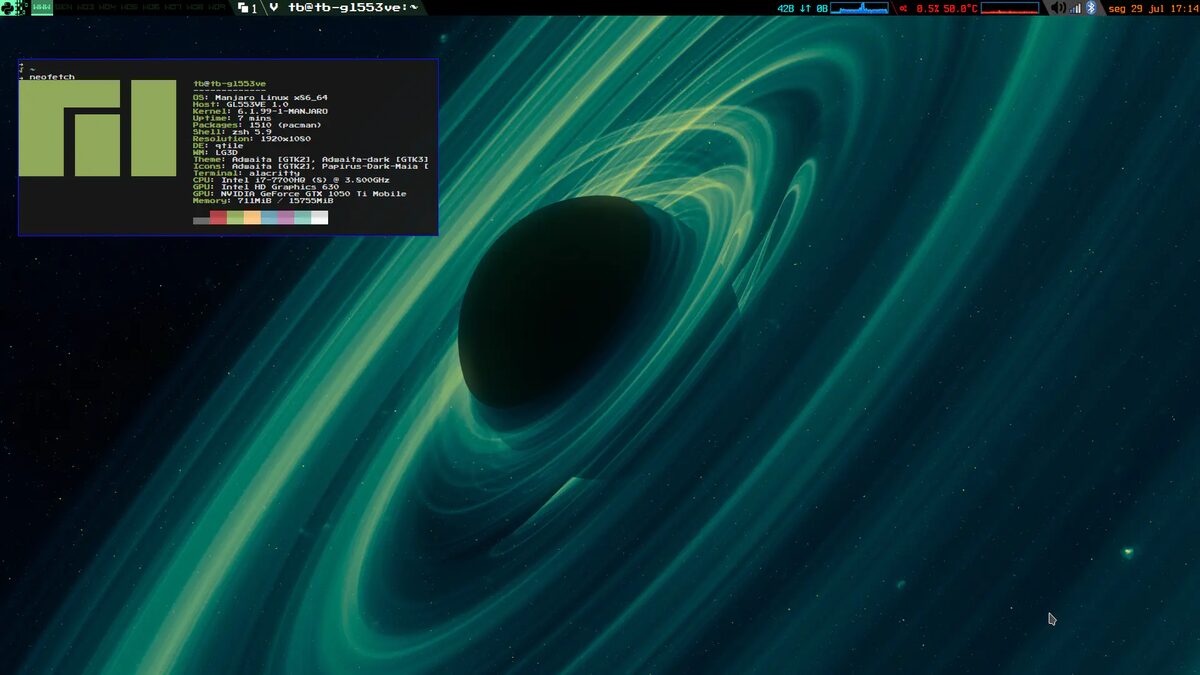
Qtile is the tiling window manager for Python people. The whole WM is written in Python and configured in Python: your config.py imports modules, defines layouts and keys as objects, and can reach any library in the ecosystem. If you can write a list comprehension, you can reshape your desktop.
It runs on both X11 and Wayland from the same codebase, ships a set of ready layouts and a built-in bar with widgets, and reloads configs without logging out. Qtile\'s community is exactly who you expect: Pythonistas who script their tools, share config snippets like recipes, and enjoy that their window manager speaks their language natively.
Strengths
- Configured in real Python: readable, powerful, importable.
- Both X11 and Wayland backends from one project.
- Built-in bar and widget set, extendable in Python.
- Live config reload speeds iteration.
- Approachable internals: contributing is unusually easy.
Considerations
- Python config means Python errors; typos can dump you to a TTY.
- Smaller community than i3/Hyprland spheres.
- Performance is fine, but compiled rivals are snappier at the margins.
Standout features
- The premier Python-native WM since the early 2010s.
- config.py can import anything: your WM can query APIs if you like.
- Same config across X11 and Wayland sessions.
- Widget authorship in a few lines of familiar code.
Who it's for
Best for
Python developers and scripters who want their environment in their language.Maybe not for
Non-programmers and anyone who wants configuration to be settings, not code.The Qtile player profile
In Distro Fighter's desktop round, Qtile tends to win for people who…

Distros that ship it
Signature moves
Similar desktops
Is Qtile right for you?
Answer eight quick questions and watch the distro round crown your pick, then five more choose your desktop. No signup, about 60 seconds.